Many industrial automation, embedded systems, and laboratory environments still rely on legacy COM port devices for reliable communication. But the need for remote access via LAN, Ethernet, or the Internet has become essential in today’s workflows. This is because physical serial ports are rarely used in modern hardware, and organizations are moving towards virtualized or cloud-based infrastructures.
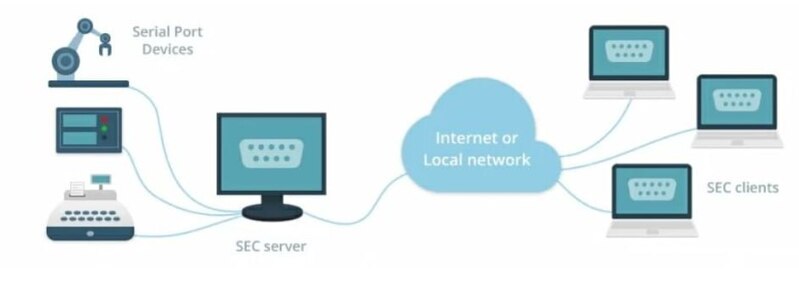
To bridge the gap, COM port redirector software is a professional solution that many rely on. It allows remote access to COM ports over a network by establishing virtual interfaces on a client system. The best COM redirector tools help you manage hardware by redirecting data from local applications to the remote devices via TCP/IP or UDP protocols.
Compared to rigid hardware serial servers, software-based redirectors provide easy integration with VM systems, such as VMware or Hyper-V, superior flexibility, and easier deployment over distributed IT networks.
In this article, we’ll discuss the best serial port redirector software on the market and compare them.
Comparison of Top Serial Port Redirector Software
To select the best serial port redirector software for daily business needs, you need to compare each tool’s operating system, security requirements, network complexity, and whether you require simple serial tunneling or enterprise-grade scalability.
| Software | Supported OS | Protocols | Best For | Pricing |
| Serial to Ethernet Connector | Windows and Linux | TCP, UDP | Complex virtualized infrastructures, such as VMware/Hyper-V | Paid (14-day free trial) |
| FlexiHub | Windows, macOS, Linux, and Android | TCP, UDP, QUIC | Global cloud-based access, perfect for remote work scenarios and IoT devices without a public IP | Subscription (Free demo) |
| FabulaTech Serial Port Redirector | Windows | TCP/IP | Remote connectivity to serial devices, optimized for hardware serial servers | Paid (Free trial) |
| Lantronix Secure Redirector | Windows | TCP/IP (AES) | Encrypted communication tailored for Lantronix hardware platforms | Commercial license |
| SERIAL-TCP (CommFront) | Windows | TCP/IP | Fast troubleshooting and validation in non-commercial settings | Free (Non-commercial) |
| Serial/IP (Tactical Software) | Windows | TCP/IP | Industrial infrastructures that depend on virtual interfaces across diverse server platforms. | Paid license |
| TCP-COM (TalTech) |
Windows | TCP, UDP | Fundamental RS-232 bridging with basic network serial communication | Paid license (Free trial) |
Serial to Ethernet Connector
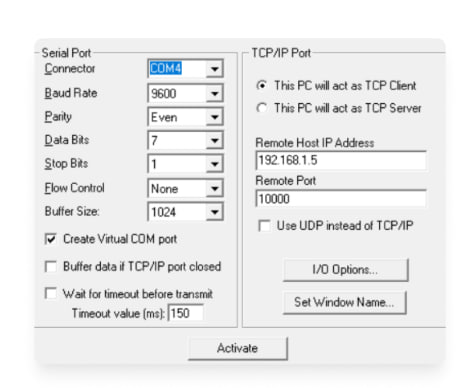
Serial to Ethernet Connector is one of the best COM port redirector solutions used for sharing and accessing physical and virtual COM ports over TCP/IP and UDP networks. It is fully compatible with both LAN environments and remote internet-based connections.
Supported Platforms: Windows and Linux
Key features
• Serial port redirection across TCP/IP and UDP networks
• Virtual COM port setup
• Full support for Microsoft RDP and Citrix Virtual environments
• Several integration options, such as SDK and Source Code
Pros
- Windows and Linux compatibility
- Designed for large-scale deployments
Cons
- Available under a paid license model
- Designed for advanced use cases, which may exceed basic requirements
Pricing
• Commercial license from $259.95
• Free 14-day trial with full functionality
How to Use Serial to Ethernet Connector for Redirection
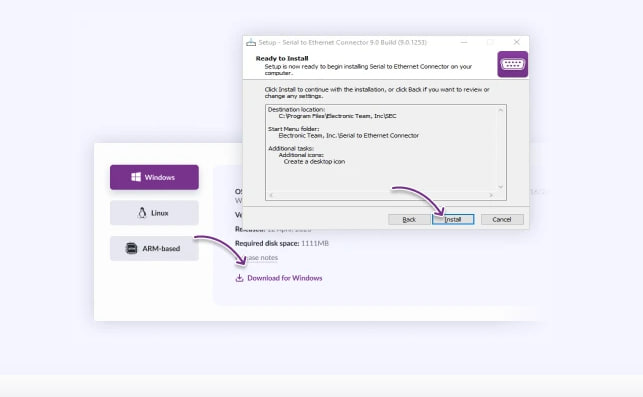
1. Download and install Serial to Ethernet Connector directly.
2. Open the application and select “Create Connection” to initiate a new serial connection.
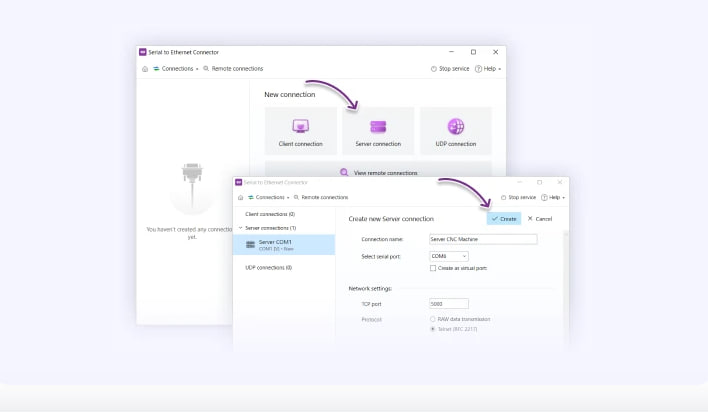
3. Select the appropriate connection type (Server or Client). Configure the required settings, such as port number and IP address. Activate encryption if secure communication is required.
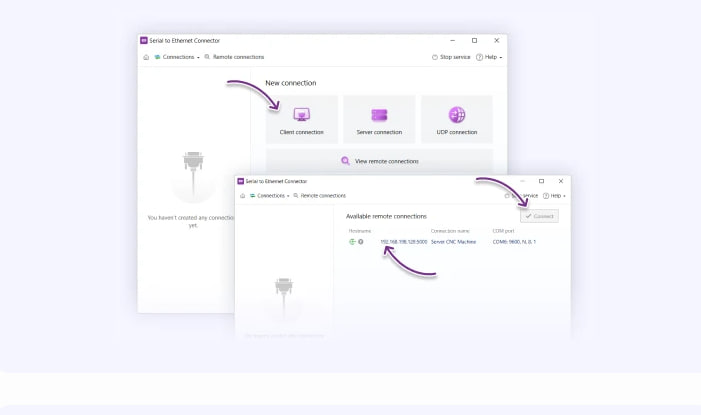
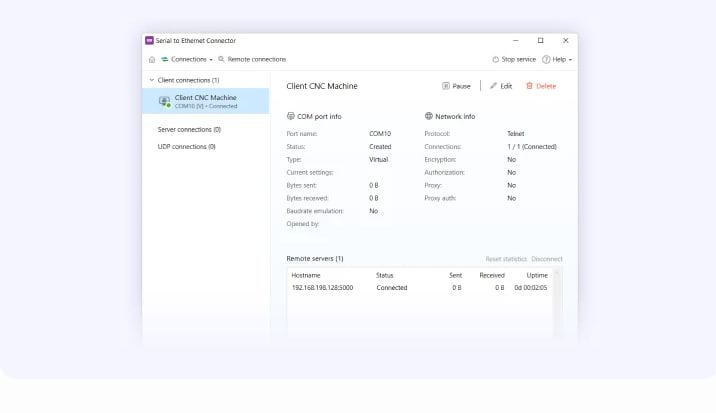
4. Save your configuration settings, initiate the connection, and monitor active sessions as required.
FlexiHub
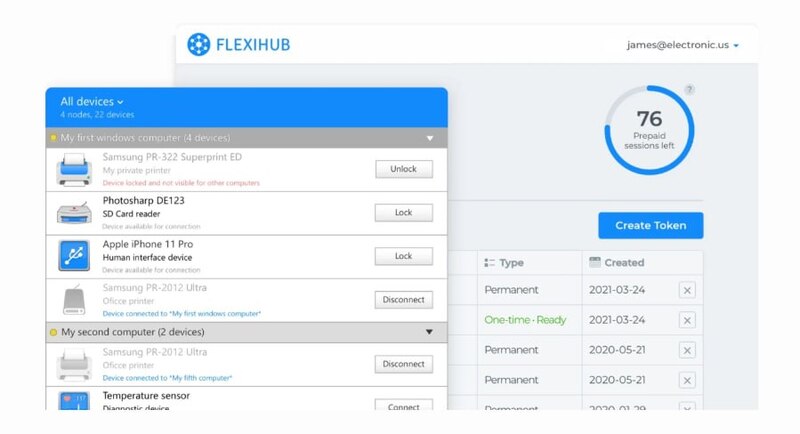
FlexiHub is a flexible solution that allows users to securely access remote serial (COM) and USB devices from anywhere in the world. It uses a centralized account system that enables users to tunnel serial data across the Internet or private networks without forwarding complex ports or requiring static IP addresses.
Supported OS: Windows, Linux, macOS, and Android
Key features
• Delivers stable and high-performance connectivity even in high-latency network environments
• Encrypted data transmission TLS 1.2 encryption to protect data transmission
• Allows administrators to remotely monitor and manage all connected nodes from a single interface
• Ensures isolated and secure data transmission for every individual connection
Pros
- Supports NAT traversal and firewall-friendly connectivity with no public IP required
- Clean and user-friendly interface with single-click connection setup
- Allows users to access devices globally through the cloud
Cons
- Offers a subscription-based licensing model
- Always require a stable internet connection for managing the cloud environments
Pricing
• Starts at $39 per month
• Free demo available
How to Configure FlexiHub for COM Port Redirection
1. Go to the official website of FlexiHub and download and install it on your remote and local devices.
2. Sign up for a FlexiHub account and log in to the application on both computers using your credentials.
3. Launch FlexiHub on your remote device, connect the serial device, and select “Share”. You can open the FlexiHub on your local computer to view the shared device.
4. Access the shared device remotely by clicking “Connect” next to it on your local computer. You can use FlexiHub’s portal to control and manage connections.
Serial Port Redirector by FabulaTech
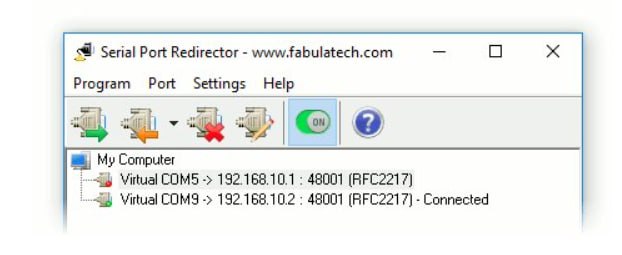
Serial Port Redirector by FabulaTech enables TCP/IP-based serial communication by creating virtual COM ports on the client machine and routing all data to a designated remote host.
Supported OS: Windows
Key features
• Creates virtual COM ports on the client system for easy device access
• Redirects serial device data over TCP/IP networks with reliable connectivity
• Fully supports the RFC2217 protocol
• Integrates smoothly with hardware serial device servers
Pros
- Offers high stability and reliability
- Ideal for environments relying on hardware serial device servers
Cons
- Supports only Windows OS
- Compatible serial device servers are required for operation
Pricing
• One-time $99.95 per-port license.
• Free trial available
COM Port Redirector by Lantronix
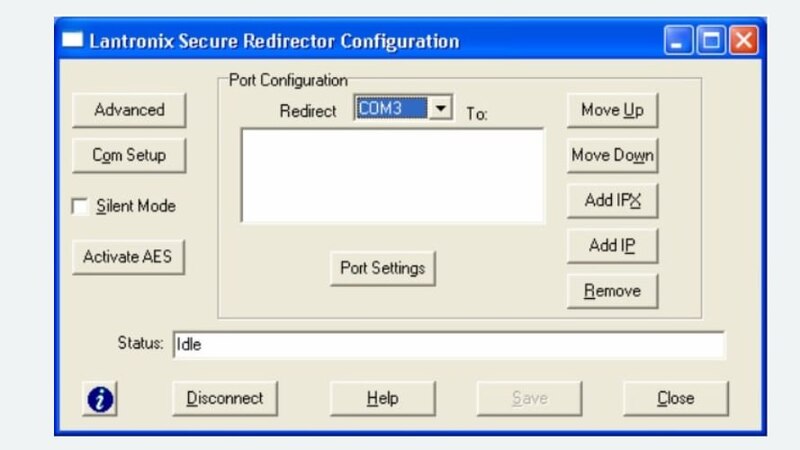
Lantronix Secure COM Port Redirector facilitates secure, encrypted serial data transmission between host systems and network-attached serial devices using virtual COM port technology.
Supported OS: Windows
Key features
• Secure serial communication with AES encryption
• Communication over TCP/IP networking stack
• Virtual serial port mapping
Pros
- Protects data with strong encryption standards
- Ideal for enterprise workloads
Cons
- Works only with supported Lantronix-compatible serial device servers
- The user interface may feel outdated and less user-friendly for modern users
Pricing
• Free (but licensed for use with Lantronix devices)
SERIAL-TCP by CommFront
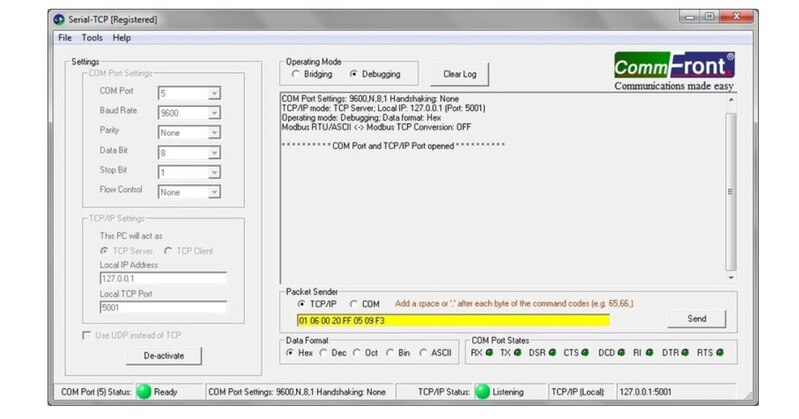
SERIAL-TCP/IP by CommFront is a serial communication utility tool that redirects serial data over TCP/IP networks. It’s ideal for testing, troubleshooting, and diagnostics.
Supported OS: Windows 10, 8, 7, Vista, and XP, both 32 and 64 bits
Key features
• Serial data forwarding over TCP/IP networks
• Built-in tools for monitoring and troubleshooting
• Real-time monitoring of COM port activity
Pros
- License is free for non-commercial purposes only
- Supports advanced testing and diagnostic workflows
Cons
- Operating system support is limited to legacy Windows versions
- Designed for testing and development only, not for production systems
Pricing
• Available free only for non-commercial use
Serial/IP Redirector by Tactical Software
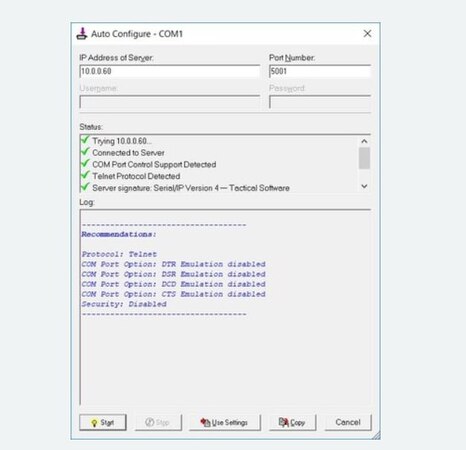
Serial/IP Redirector by Tactical Software allows users to create virtual COM ports for easy access to network-attached serial devices across multiple serial server platforms.
Supported OS: Windows
Key features
• On-demand virtual serial port deployment
• Communication over TCP/IP networks
Pros
- Compatible with multiple serial device server platforms
- Optimized for Windows environments
Cons
- Available under commercial licensing terms
- The interface has a legacy design that may not offer the modern UX usually found in modern alternatives
Pricing
• 100$
TalTech TCP-COM
TalTech TCP-COM is a serial port redirector software that facilitates serial data routing between Ethernet/IP networks and virtual or physical RS-232 interfaces through TCP and UDP protocols.
Supported OS: Windows
Key features
• Serial data routing through TCP and UDP protocols
• Good compatibility with virtual COM ports
• Serial communication over Ethernet networks
Pros
- Supports multiple network protocols and configurations
- Maintains compatibility with legacy RS-232 applications
Cons
- Limited to Windows OS only
- Offers fewer advanced capabilities for enterprise deployments
Pricing
• $199.00 (includes free technical support and a 30-day free trial)
Frequently Asked Questions
Yes, leading solutions, such as Serial to Ethernet Connector and FlexiHub, allow secure COM port redirection over the Internet. Local network redirection requires a static IP, whereas cloud-based solutions like FlexiHub provide NAT traversal and firewall-friendly connectivity without complicated setups.
SERIAL-TCP/IP by CommFront is commonly used for non-commercial purposes at no cost. In contrast, most enterprise-grade solutions offer a 14-day full-feature trial so you can test connection stability before buying the license.
Yes, modern software like Electronic Team and FabulaTech are fully compatible with Windows 10 and 11 environments. Some legacy tools may require specific drivers or “Compatibility Mode” to function properly on the latest operating system build.
A software serial redirector offers greater flexibility by enabling virtual COM port creation. It eliminates the need for physical hardware and supports easier scalability within virtualized infrastructures, such as Microsoft Azure and VMWare. On the other hand, the hardware serial server is a physical device that connects directly to your serial equipment and the network.
Yes, because the software operates at the COM port layer, it remains transparent to the underlying hardware standard. As long as the connected computer or serial server can communicate via RS-232, RS-485, or RS-422, the software redirector will pass the data through, no matter the physical protocol.