
Implementing USB to LAN adapters is important for users whose devices are not equipped with Ethernet ports. At times, a faster and more reliable internet connection is required than what is available with WiFi connectivity. This guide explores the top 6 USB to LAN hardware solutions to meet your personal or business needs. Additionally, it introduces a software alternative: USB Network Gate.
USB-to-LAN Hardware vs. Software
USB connectivity over Ethernet can be achieved using either hardware USB-to-LAN adapters or software solutions such as USB Network Gate. Each approach is designed for different use cases.
USB-to-LAN adapters are ideal for home and personal use, while USB Network Gate is designed for professional and business scenarios requiring flexibility and scalability.
USB to LAN converter
USB to RJ45 Ethernet Adapter is a physical device that adds an Ethernet port to a computer through a USB interface. This is a straightforward and widely used solution for local networking.
Advantages:
• Simple plug-and-play setup
• Stable, direct wired connection
• Low cost
Limitations:
• Works only on the connected device
• No remote or shared access
Best suited for:
Home users and individual systems that require a basic wired network connection.
USB Network Gate (Software Solution)
USB Network Gate is a software-based alternative that enables USB devices, including network adapters, to be accessed over a LAN, WAN, or the Internet. Instead of adding a physical port, it allows USB hardware to be shared remotely as if it were connected locally.
Advantages:
• Remote USB access over LAN, WAN, or the Internet
• Supports multi-user and virtual environments
• Centralized device management
• The app lets you share 1 USB device for free
Limitations:
• Requires software installation and configuration
• Dependent on network performance
Best suited for:
Business and enterprise environments where USB devices must be shared or accessed remotely.
A USB to LAN converter provides a more reliable and stable connection than a wireless solution. Better network performance can result in improved productivity in a business setting or a smoother online gaming experience. A LAN to USB converter furnishes a secure connection through a wired Ethernet port for computers without a LAN card. Additionally, there is a software alternative to a LAN to USB adapter in the form of USB Network Gate, which allows you to share USB devices over a network, providing flexibility and convenience without the need for additional hardware.
Here's a comparison table outlining the pros and cons of using a USB to LAN adapter versus USB Network Gate software:
| Feature | USB to LAN Adapter | USB Network Gate Software |
| Pros | – Simple physical setup – Cost-effective for single device connection – Reliable connection – Suitable for devices without Wi-Fi capability – The app is free for 1 USB device |
– No need for additional hardware – Can share multiple devices remotely – Flexible access from any location – Supports various platforms (Windows, macOS, Linux) – Up to 10 USB devices simultaneously |
| Cons |
– Limited to nearby devices |
– Dependent on network stability |
Belkin USB-C to LAN connection
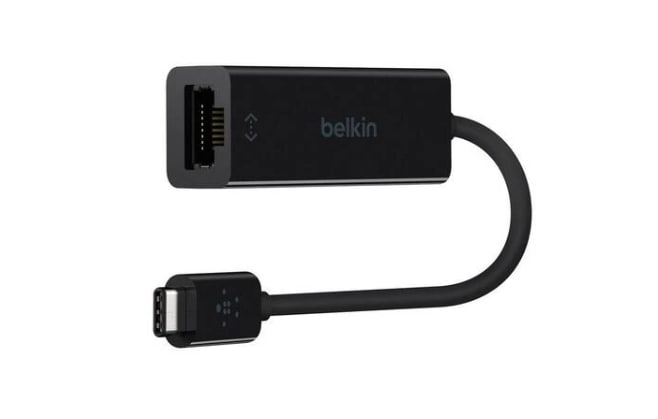
The Belkin USB-C to LAN Connection (Model B2B145-BLK) provides advanced features that offer reliable connectivity with support targeted at Mac users. The device is intended to connect USB-C-compatible devices to a network with a wired, high-speed Ethernet connection. It accomplishes this goal while addressing the performance standards and style expectations of Mac aficionados.
The B2B145-BLK features an attractive design and plug-and-play functionality that does not require any additional software or external drivers. Data transfer speeds of up to a gigabit are supported for exceptional gaming, streaming, and professional applications. The device’s macOS compatibility makes it a good fit for Apple users looking for a simple, stylish, and reliable network solution.
Price: $34.99 USD
Inland USB Ethernet LAN adapter
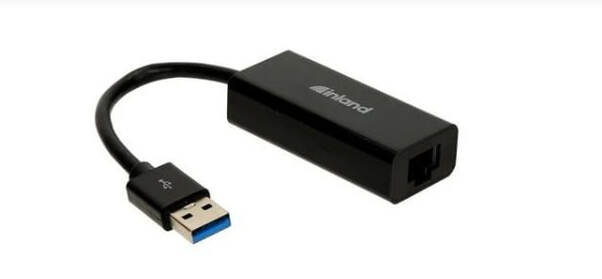
The Inland USB 3.0 to Gigabit Ethernet adapter offers users a simple plug-and-play, high-performance network converter. It’s a flexible option that works with any device that has a standard USB port. Just plug the adapter into a USB 3.0 port and you can establish an Ethernet connection with a standard RJ45 cable. Network speeds of up to 1000 MB/s are supported by the Inland adapter. You will need the Inland USB to LAN adapter driver to get the full functionality from the device.
Price: $24.99 USD
Lenovo USB to LAN extender
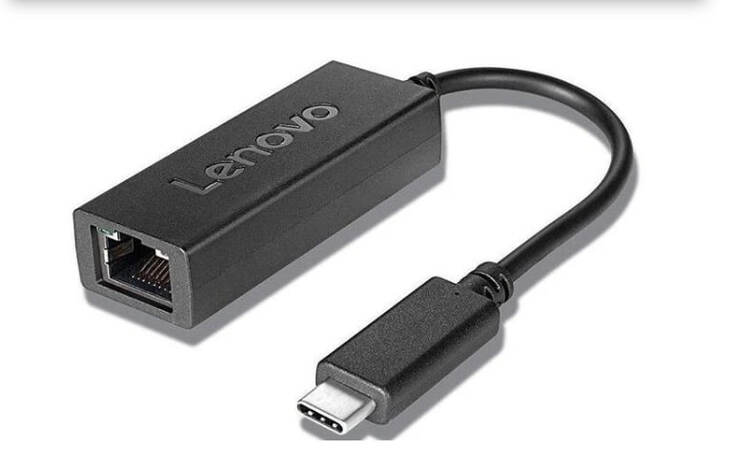
Lenovo’s (Model 4X91H17795) USB-C to 2.5G Ethernet Adapter is an advanced device that provides fast and reliable network connectivity. It supports high-speed data transfers of up to 2.5Gbps. These speeds give users the performance they need for transferring larger files, gaming, or smooth streaming.
The USB to LAN adapter is easy to set up by connecting it to any available USB-C port with no additional drivers required. It features a small footprint that makes it an excellent choice for mobile users. The Lenovo USB-C to 2.5G Ethernet Adapter delivers stable, fast, and efficient wired network connectivity.
Price: $31.99 USD
StarTech USB to LAN
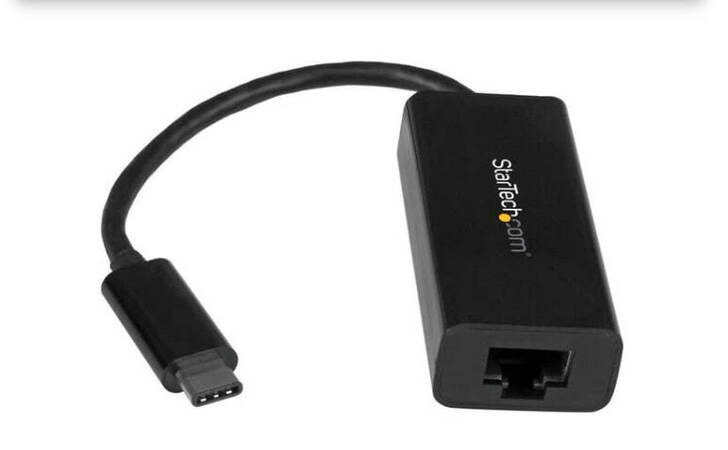
This compact USB-C to Gigabit Ethernet adapter (US1GC30B) from StarTech provides wired network connectivity compatible with USB Type-C and Thunderbolt 3 ports. Gigabit speeds of up to 1000Mbps are supported with USB 3.1 Gen 1 technology to efficiently handle large data transfers.
The Realtek RTL8153 chipset offers plug-and-play functionality with native drive support on Windows, macOS, and Chrome OS systems. The device is lightweight and directly powered from a USB port, making it an excellent choice for remote users who need reliable network access.
Price: $36.99 USD
Anker USB-C To LAN Adapter
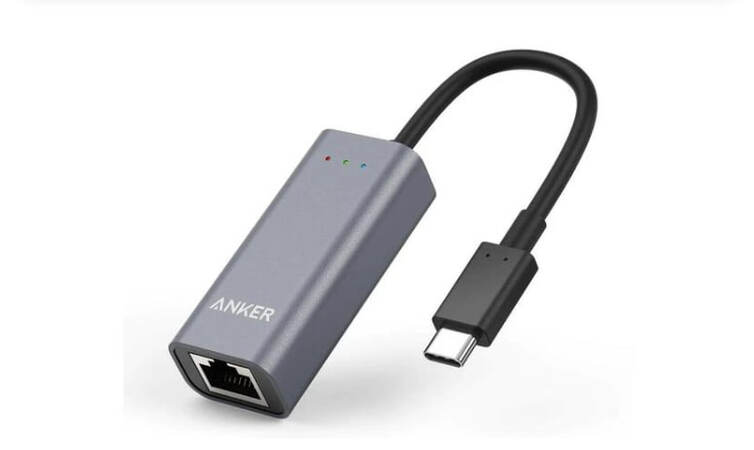
The Anker A8341 USB-C to LAN Adapter provides IT professionals with stable and fast wired network connectivity. The device connects to a standard USB-C port and furnishes Gigabit Ethernet speeds for better streaming, gaming, and file transfers. Multiple operating systems are supported and the device is easy to install with no additional drivers required.
Business travelers will appreciate the Anker A8341’s compact and sturdy design that facilitates fast network performance when working remotely. Users will find the tool indispensable for establishing efficient and stable network connectivity.
Price: $22.99 USD
Plugable USB C to Ethernet Adapter
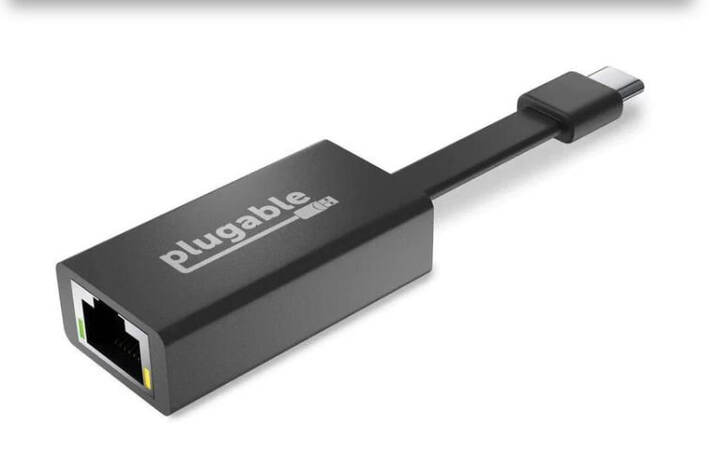
The Plugable Gigabit Ethernet Adapter (USBC-TE1000) is another compact device that can convert Ethernet to USB for enhanced network performance and speed. The adapter connects to your computer’s USB-C interface to provide wired network connectivity for enhanced gaming, streaming, or file transfers. Its small size makes it easy to carry when traveling so you can establish USB to Ethernet connection from any location.
The Plugable USB-C Ethernet Adapter (USBC-TE1000) is built on the Realtek RTL8153 chipset and supports stable connectivity with speeds of 10/100/1000 Mbps. It can dramatically improve data transfer speeds over legacy 10/100 adapters and many wireless networks. The converter can be used to add wired network capabilities to your computer or upgrade your current network adapters.
Price: $22.95 USD
New Ways to Connect RJ45 Devices with USB Network Gate
Many modern devices make use of RJ45 connectors for control and communication. Examples of equipment that relies on Ethernet connectivity include electrical panels, automotive scanners, and advanced technical products such as Tesla vehicles. Providing reliable and fast connectivity is essential for these devices to operate effectively.
USB Network Gate is a software tool that can help eliminate connectivity issues between USB and Ethernet interfaces. USB Network Gate gives you the capability of accessing RJ45-controlled devices over a network. The software provides a reliable and flexible method of remotely accessing and controlling Ethernet-connected devices.
With USB Network Gate, you can eliminate the need for a physical connection to manage USB devices over Ethernet connections. The tool provides seamless interaction with remote USB devices so they can be monitored and used more efficiently and productively from any network-connected location.
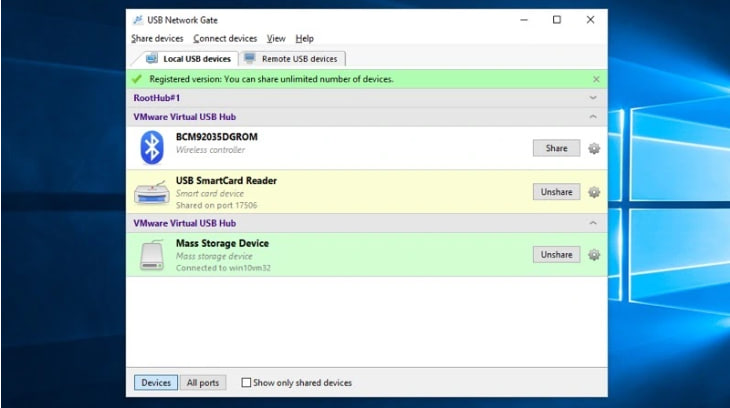
- Download and install USB Network Gate on the computer with the USB to LAN adapter that will be shared connected to a physical USB port.
2. Launch USB Network Gate and navigate to the “Local USB devices” tab.
3. Click “Share” next to the device you want to share over the network.
4. Install USB Network Gate on the client machines that will remotely access the USB device.
5. Start the application on a client computer and open the “Remote USB devices” tab.
6. Find the shared USB to Ethernet adapter you want to access and click “Connect”.
7. That’s all you need to do. The clients can now see and access the network adapter in the machine’s Device Manager as if it were directly connected to the machine.
Price: $159.95
(up to 10 USB devices)
Benefits of sharing USB devices with USB Network Gate
- Eliminate distance limitations and access USB devices from any network-connected device.
- USB Network Gate supports all types of USB devices in addition to USB to LAN converters.
- USB Network Gate lets you establish cross-platform connections with support for Windows, macOS, and Linux operating systems.
- Share devices over any type of network including WiFi, Ethernet, LAN, or the Internet.
USB to LAN FAQs
LAN stands for Local Area Network. It is quite simply a group of computers and devices that are connected to a server within a finite physical location, such as an office or school. The connection can be wired or wireless and the number of computers on a LAN are not limited.
Yes. If you need to connect to a wired LAN or router or modem but you do not have an Ethernet port, you can use a USB to Ethernet adapter. Your Ethernet cable can then be plugged in to the adapter providing you with Ethernet capability.
Using a USB to Ethernet plug and play adapter is the quickest way to convert a USB port to Ethernet. Installing an Ethernet card is more costly and time consuming, whereas by simply attaching an adapter as and when you need it, you are not making any permanent configurations to your computer, and it is quick and easy to use.
A USB to LAN dongle simply has a USB connector on one end and an Ethernet controller on the other. By inserting the adapter into the computer’s USB port, and an Ethernet cable in the other end, you have access to full speed Ethernet data transfer. The Ethernet controller receives Ethernet frames and transmits them over USB in a format that the specific driver will understand.