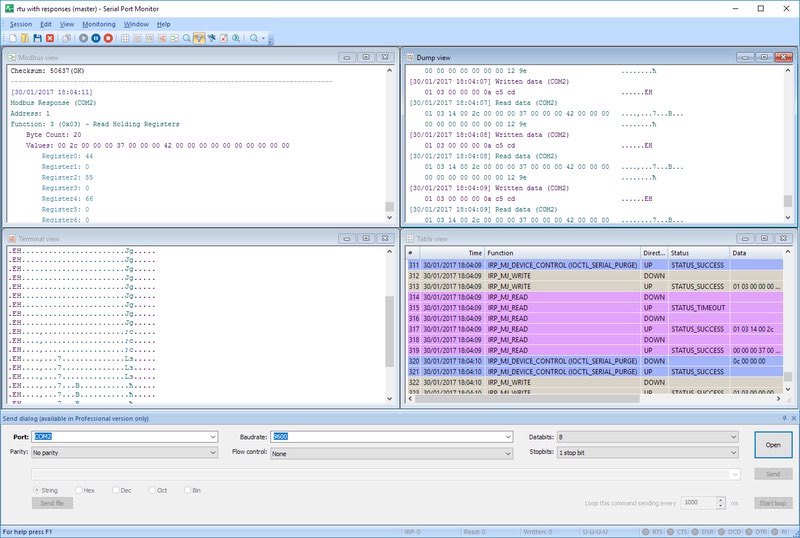
This professional-grade serial monitor will become an essential part of your toolbox when working with serial applications and devices.
Free Serial Port Monitor
Free Serial Port Monitor is a RS-232 protocol analyzer that provides you with a simple and effective way to sniff the incoming data from both virtual and real serial ports. All the data captured by this RS-232 interface software can be logged to a dedicated text file for further analysis.
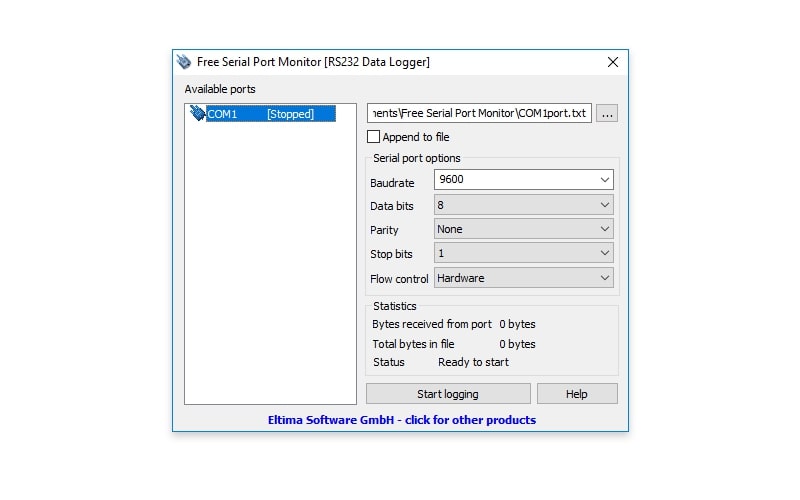
The interface of FREE Serial Port Monitor is very user-friendly. So, to start your monitoring session you’ll need to:
- Select a serial port
- Choose a file for serial communication data to be logged to
- Define RS-232 port's parameters
- Click "Start".
Main benefits of using FREE Serial Port Monitor as your RS-232 analyzer:
- Perfect for the virtual environment: You can easily install FREE Serial Port Monitor on your VM (Hyper-V, VMware, etc.) and use it whenever you’ll need to test a serial port or learn more about its operation.
- Real-time serial data collection: Using FREE Serial Port Monitor you can collect data from any type of device plugged into your machine’s COM-port. This RS-232 serial communication software is clearly the simplest and easiest way to learn everything there is to know about serial port’s work!
- Simultaneous data reading: FREE Serial Port Monitor can capture data from up to 256 serial ports at the same time.
- No unnecessary costs: This software is totally free!
SerialMon
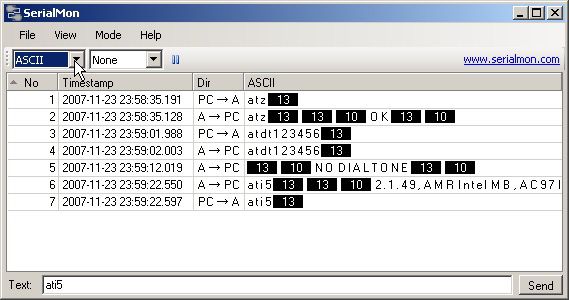
SerialMon is a freeware application that enables you to monitor or sniff RS232 serial ports from the Windows OS. It can be run strictly as a software solution or used in conjunction with simple hardware cabling attached to the equipment you desire to monitor.
It is a small software package that will not take up any significant resources on your computer. It serves as a protocol analyzer for the ABB RP570, ABB SPA-bus, and NMEA 0183 protocols.
Free Serial Protocol Analyzer by HDD Software
Here is another free software tool that is designed to run on older versions of Windows and will allow you to display and analyze data exchanged between an application and a serial device. It was developed by professionals experienced in serial device architecture and can be a powerful tool for development, debugging, and optimizing serial applications.
One drawback to this software package is that it does not support the newer versions of the Windows OS. This makes the tool less useful than others that support Windows 10. It is worth a look if you are using Windows 2000, Vista, or other older Windows versions.
Portmon for Windows
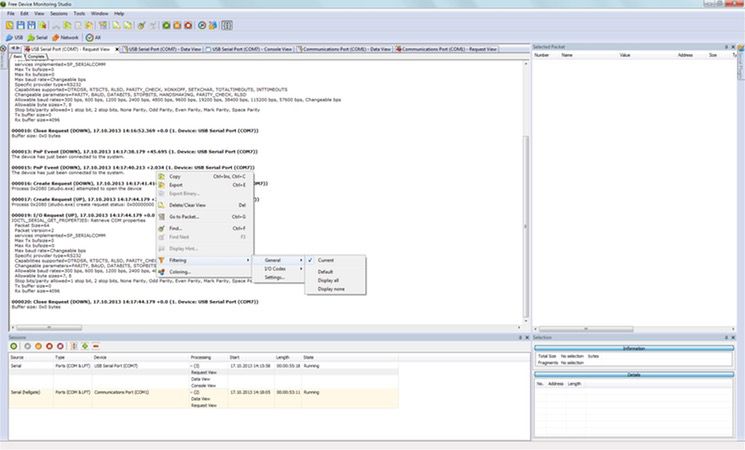
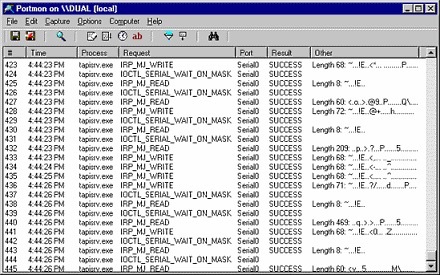
Portmon for Windows lets you monitor and display both serial and parallel port activity on legacy versions of the Windows OS. It is meant to be run on WinNT, Windows 95, and Windows 98.
The package has a number of useful features that increase its utility for serial device or application developers. The tool supports remote monitoring across the network and lets you capture your monitoring sessions to a file for later analysis.
This tool will help you understand how RS232 serial communication works with its advanced filtering and search capabilities. You can copy a line from your output window to the clipboard for use in other programs and can set highlight colors for a more user-friendly display.
Top hardware solutions for RS-232 monitoring
RS-232 monitor hardware was purposely designed for engineers to detect and resolve emerging network issues. With the right hardware tool, you can perform an in-depth study of a serial port application’s performance to catch out any software and hardware communication errors.
The top two of hardware RS-232 port analyzers are:
Versa Tap™ by Stratus Engineering
Versa-Tap is well-liked amongst many professional engineers for its unmatched data-logging and analyzing capacity.
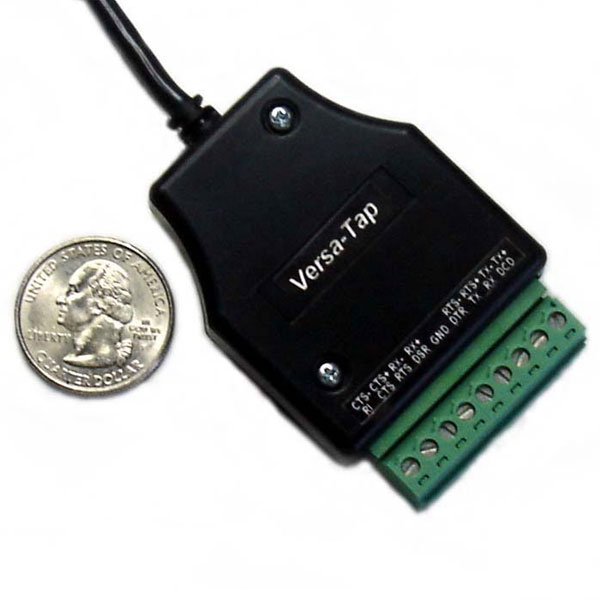
Main benefits of using Versa Tap for serial data capturing are:
- High usability: Hassle-free and quick hardware installation thanks to the screw-terminal communication interface connection.
- Instant USB access: If your host is an MS Windows machine, you’ll have access to USB devices by default
- Windows solution: There are drivers available for all MS Windows operating systems starting from MS Windows 2000 (MS Windows 2000/XP/Vista/7/10 x32 and x64)
- Max. supput\rted baud rate is 2 Mbps
- Minimal cabling.
And, considering synchronous HDLC analysis and microsecond time-tagging of every “handshake” and all data communication in general, it is no question that Versa-Tap is the Rolls-Royce of hardware solutions for RS-232 monitoring. It’s a perfect combination of expert analysis, precise data-logging, and top-of-the-line electronics.
IO Ninja Serial Tap by Tibbo
Serial Tap is a simple and effective hardware tool intended for use together with the IO Ninja software app. With its help, you can record data from RS-232, RS-485, and TTL-level UART communications.
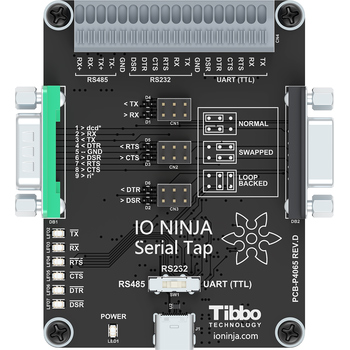
The set-up process is pretty much straightforward. Just follow these steps:
- Use a USB cable to attach the Serial Tap hardware to your PC.
- Run the IO Ninja app and select your sniffer on the list.
- Define the baud rate of the serial communication you want to monitor.
- Click Capture
Now, it’s all set and you can use the app to view serial communication data in real time. On top of that, you’ll be able to keep track of all the status and control line changes.
2. How can RS232 Protocol Analyzer help developers perform tasks?
Without the use of an RS232 monitoring tool, it is difficult to check the data flow between a serial port and a computer. By employing such a tool, the user can easily display, log, monitor, and analyze the serial port activity of their system. There are a number of ways that an RS232 port monitor can assist developers and make their jobs easier. Among them are:
- A serial monitor lets you monitor multiple serial ports at the same time
Use of an serial monitor allows you to evaluate multiple serial ports simultaneously. This ability lets you see your system in its entirety at one time rather than having to test each port or device individually. This can save time and give you a better picture of your overall system performance as it relates to serial devices.
- A COM monitor means you do not need to use extra cabling
Using an RS232 monitoring software application removes the requirement for extensive cabling to be employed. This can save money as well as reducing clutter in your office. Usually, if you are using RS232 monitoring hardware you will need expensive cables that will quickly become a nightmare to manage. Saving on the expense and hassle of cabling is an excellent reason for using a software solution like Serial Port Monitor by Electronic Team, Inc.
- Latency and time-tagging issues can be minimized with a serial monitor
Time-lag issues and latency are minimized with a serial port monitor. Traditional COM port monitoring solutions often leave developers experiencing latency and time-lagging issues that make their monitoring tasks more difficult. A quality serial monitor can help eliminate these issues by presenting the monitoring information in a user-friendly manner and allowing the user to save monitoring data to a file. Time-stamping of data transmission and handshaking events make it easy to analyze your monitoring results at your convenience.
- A COM monitor can be used by anyone. No programming experience is required
COM monitors typically require no programming skills to be used effectively. Installation is usually straightforward and can be done by anyone with basic computer skills. Once the tool is installed all of your serial port traffic will be monitored and can be analyzed by the proper personnel at any time.
- Many diverse industries and business will find a serial monitor useful
RS232 monitors are useful to businesses in almost any industry. One of the driving forces of any business is to gain a competitive edge in its area of expertise. One way to gain an advantage over your competitors is by saving time and money in your daily operations.
Using RS232 port monitor utility can save time for your developers and money by eliminating the need for any additional hardware when working with your serial devices and applications. Companies in industries as diverse as communications, semiconductor manufacturing, design services, and industrial instrumentation all have taken advantage of RS232 monitoring software. Companies of any size can benefit from this software, and its use can help smaller companies compete with their larger competitors.