


Upgrade Serial Port Monitor today and get 50 % OFF if you own a previous version! Learn more
+1 202 335 8465
Contact our sales team
COM Port Data Emulator
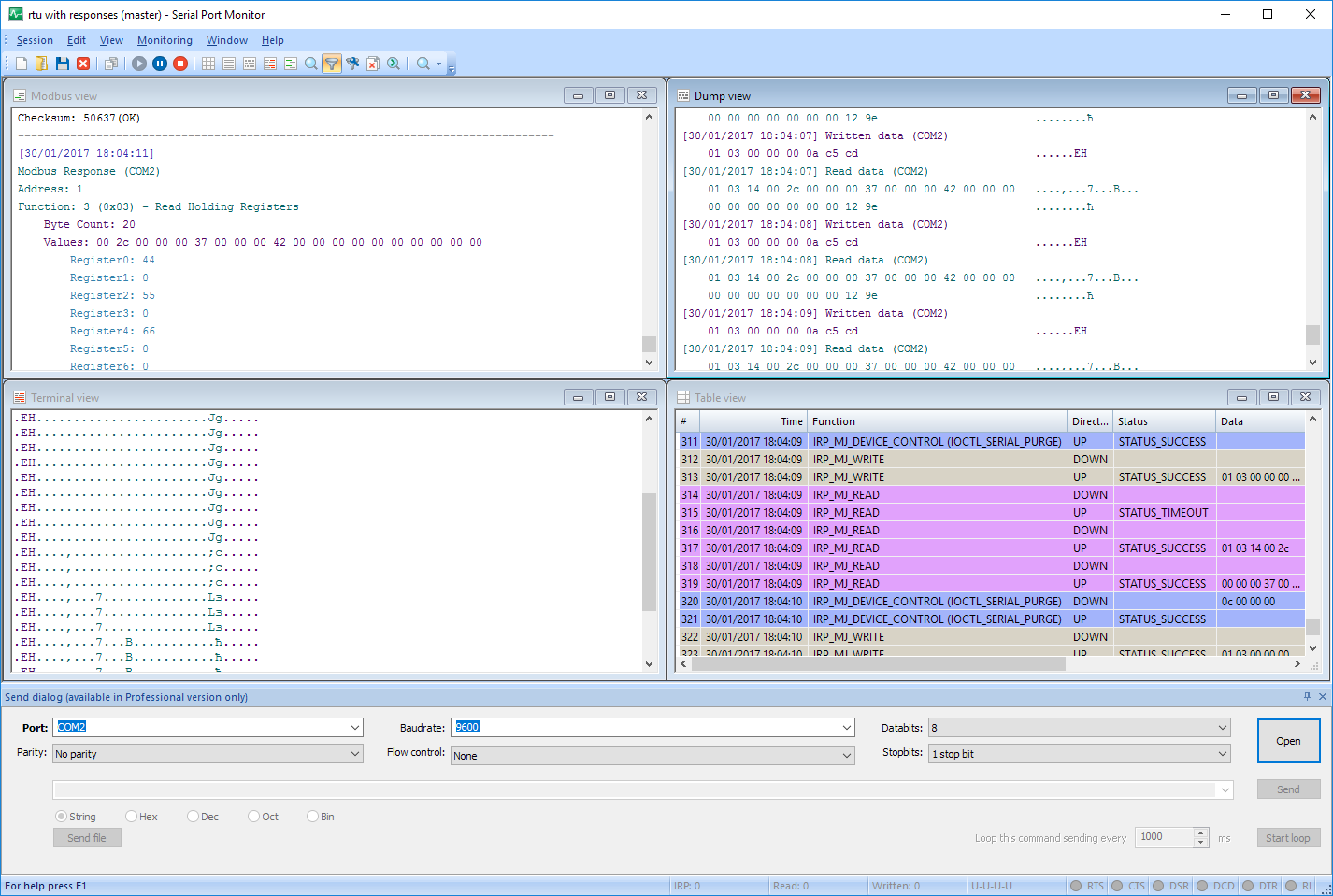
Serial Port Monitor provides a comprehensive solution for emulating and monitoring serial port data. The software includes a built-in Send dialog that enables users to generate and transmit serial data over network-connected COM ports. Teams can simulate serial data transmission from applications or devices to monitor and analyze COM port device behavior and response in real time.
The tool lets users manually send commands to emulate serial traffic without physical hardware. Serial Port Monitor supports development and troubleshooting by allowing technicians to use data from recorded sessions or files to compare device performance. The solution delivers a full emulation loop within a single application.
The tool lets users manually send commands to emulate serial traffic without physical hardware. Serial Port Monitor supports development and troubleshooting by allowing technicians to use data from recorded sessions or files to compare device performance. The solution delivers a full emulation loop within a single application.
Core Capabilities
Serial Port Monitor is a complete toolkit that allows developers and technical teams to emulate COM port data, streamlining work with devices and applications that use serial communication.
-
Playback and session comparison
The software lets you replay recorded serial data transmissions, which is essential for efficiently and consistently testing device and application behavior. This COM Port Data Emulator enhances productivity by enabling teams to reuse real communication data instead of manually creating test data. -
Advanced Send Dialog
The application’s Advanced Send Dialog provides granular control over data testing. In addition to entering basic commands, users can replicate realistic serial communication by using customized workflows. Teams can develop flexible scenarios that thoroughly test device behavior and response under real-world conditions. -
Multi-format data support
COM Port Data Emulator supports the data formats teams need for efficient, low-level serial testing. Users can send data in String, Binary, Octal, Decimal, Hex, or Mixed formats to fully test how devices respond to different data streams. Teams can work with the formats that replicate the actual communication environment. -
Emulate data transmission to specific serial ports
The software simulates responses on specific COM ports to test serial devices or to test application reactions to discrete payloads and commands. This feature streamlines activities such as troubleshooting, debugging, and protocol validation, which require users to control data transmission tightly. -
COM port data logging and replay
COM Port Data Emulator does more than simply send serial data. The tool logs and records serial communication for later use. Teams can analyze data transmission and device response to facilitate testing and troubleshooting. Saved communication can be reused and played back to support granular comparison and diagnostics. -
Detects Modbus RTU and Modbus ASCII data
This flexible tool can read, analyze, and display Modbus data flows, providing more comprehensive device support.
How to implement COM port data emulation
Use the following steps to use Serial Port Monitor as a Serial Port Data Emulator.

1
Download and install Serial Port Monitor on your computer.
2
Start the application.
3
Choose the target COM port in the Send dialog and configure its serial parameters.
4
Enter the commands or data you want to transmit and click the Send button.
5
You can also use the Send file option to load a file and send its data to the chosen COM port.
6
Start a new monitoring session to view serial communication in real time.
Serial Port Monitor features list
| Start/stop monitoring the serial port that is already opened by another application (available in Professional/Company Edition only) | |
| Completely compatible with Windows 10 (both x32 and x 64) | |
| Serial Port Monitor and all of its internal drivers are digitally signed | |
| Any number of serial ports can be monitored simultaneously | |
| Possibility to add several ports for monitoring in one session | |
| Supports all COM-port types: standard on-board ports, extension board ports, software-based virtual COM ports, bluetooth serial ports, USB to SERIAL cradles, etc | |
| Data transmission monitoring and logging | |
| Advanced send dialog: easily send various types of data, apply aliases for faster typing and automation, send files and loop functions and commands, change serial port parameters on-the-fly (available in Professional/Company Edition only) | |
| Real-time data capturing | |
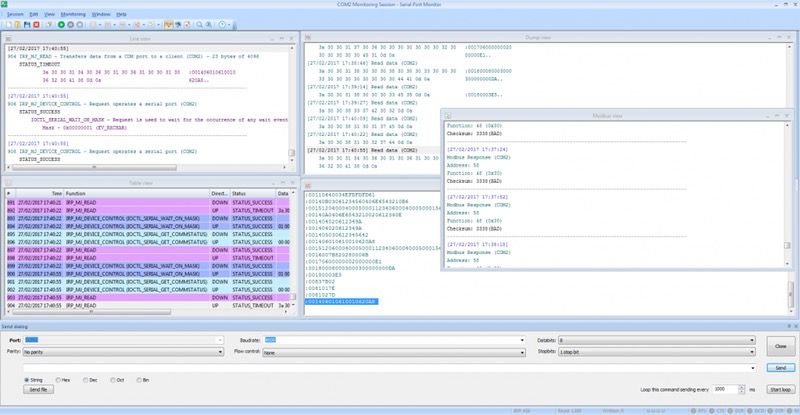
| Various monitoring visualizers: table view, line view, dump view, terminal view |
Compare STANDARD and PRO/Company versions
| # | Feature | Standard | Pro / Company |
|---|---|---|---|
| 1 | Monitor any serial port even if it is already in use | ||
| 2 | Advanced Send Dialog enables data transmission to and from any COM port | ||
| 3 | Monitor multiple serial ports simultaneously | ||
| 4 | Analyze any physical or virtual serial port | ||
| 5 | Change serial port parameters using the Advanced Send Dialog | ||
| 6 | Built-in search feature | ||
| 7 | Logging of incoming and outgoing data streams | ||
| 8 | All serial port types are supported | ||
| 9 | Customizable monitoring and viewing of logged data through 4 view modes. | ||
| 10 | Supports full duplex mode |
What our software is capable of
Throughout its long history, our software has helped a lot of people to solve a variety of tasks and problems of absolutely different kinds. And here are some of them:
I have tried a good number of serial sniffers, but most of them were stacked with the excessive features that only increased the cost of the tool, but did not directly influence its main purpose – conveniently collect serial data. After spending some time on research, I opted for Serial Port Monitor as the most optimal variant among other similar programs.
Gregory Williams, Programmable Logic Controller Programmer
As I decided for myself, there is no need to spend money on 2 separate pieces of software, when Serial Port Monitor perfectly combines them: a serial sniffer and a terminal emulator.
John Albarn, Electromedical Equipment Technician
A sniffer that will not only collect all data but will also accessibly display it is essential during the development and debugging of the applications or hardware that work with serial ports. Serial Port Monitor’s data visualizers provide exactly that.
Richard Swanson, Software Developer
We mainly use it for debugging serial commands (byte stream) coming from various sensors on one of our mobile robotics bases. We also use it for any kind of weird serial issue that we can't figure out. It's a great product though!
Dave Kush, CTO


#1 at Serial Port Software
Serial Port Monitor
Log and analyze serial port activity
4.8 rank
based on
345
+ users
Get a download link for your desktop
Submit your email address to get a link for quick download on your desktop and get started!
Submit your email address to get a link for quick download on your desktop and get started!
or
Information
Requirements:
Category: Serial Port Software
Limitations::
fully functional 14-day trial
Pricing: Starts from $59
Languages:
English
The registered users of the previous version can upgrade with a 50% discount. Learn more

Our customers love us