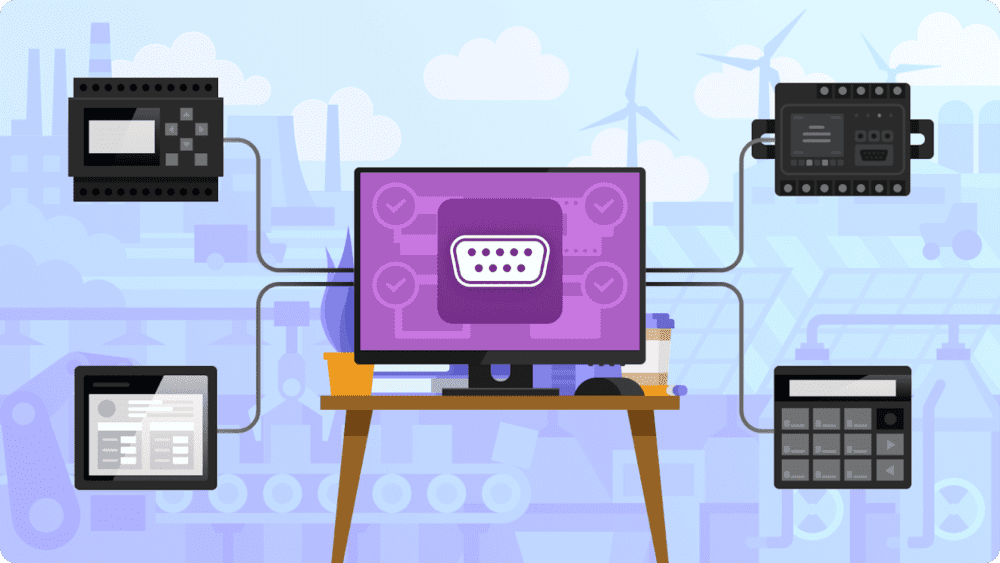
Remote access to PLCs is usually done for the purpose of programming, and achieved with a VPN, dedicated gateway devices, or by using remote access solutions. However, there’s another way that’s cheap, easy to configure, and secure – Serial to Ethernet Connector.
How to Establish PLC Remote Access
You can use any nearby computer as a host for the PLC. Just connect the device directly with a serial cable.
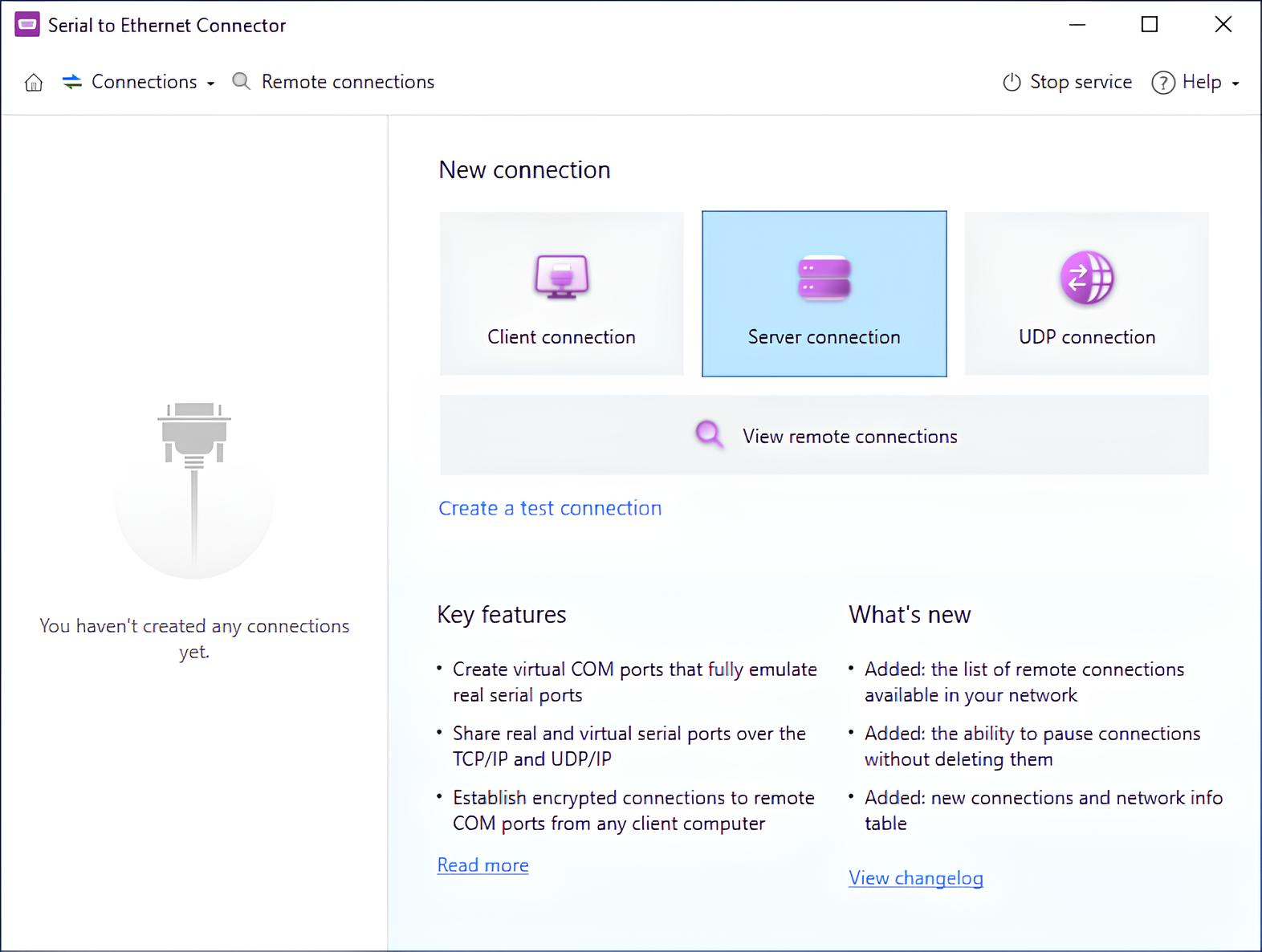
1. Download Serial to Ethernet Connector on the host computer, install it, launch it, and click “Server connection”.
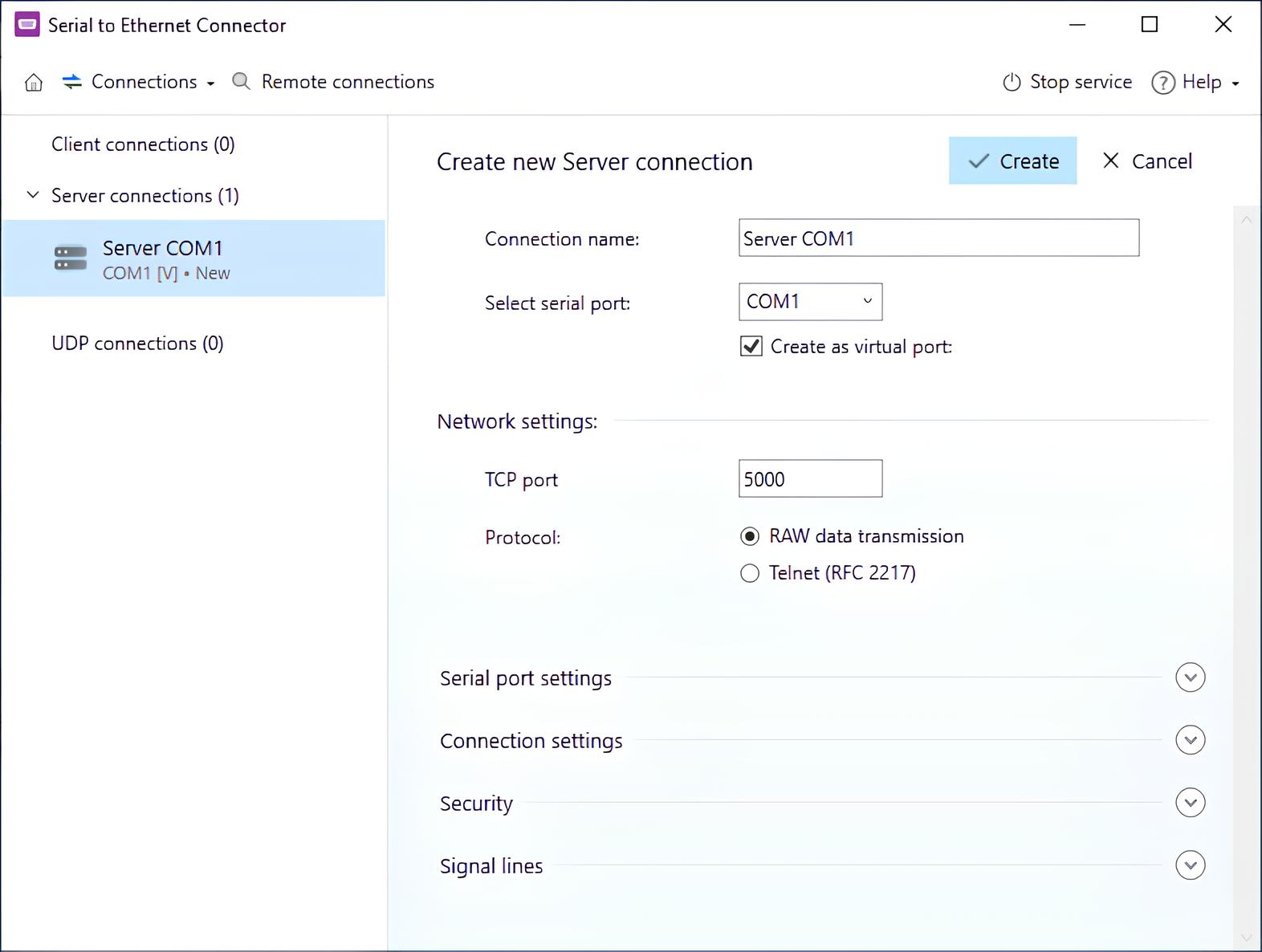
2. Set the connection up – most importantly, select the COM port that the PLC is connected to. Click “Create”.
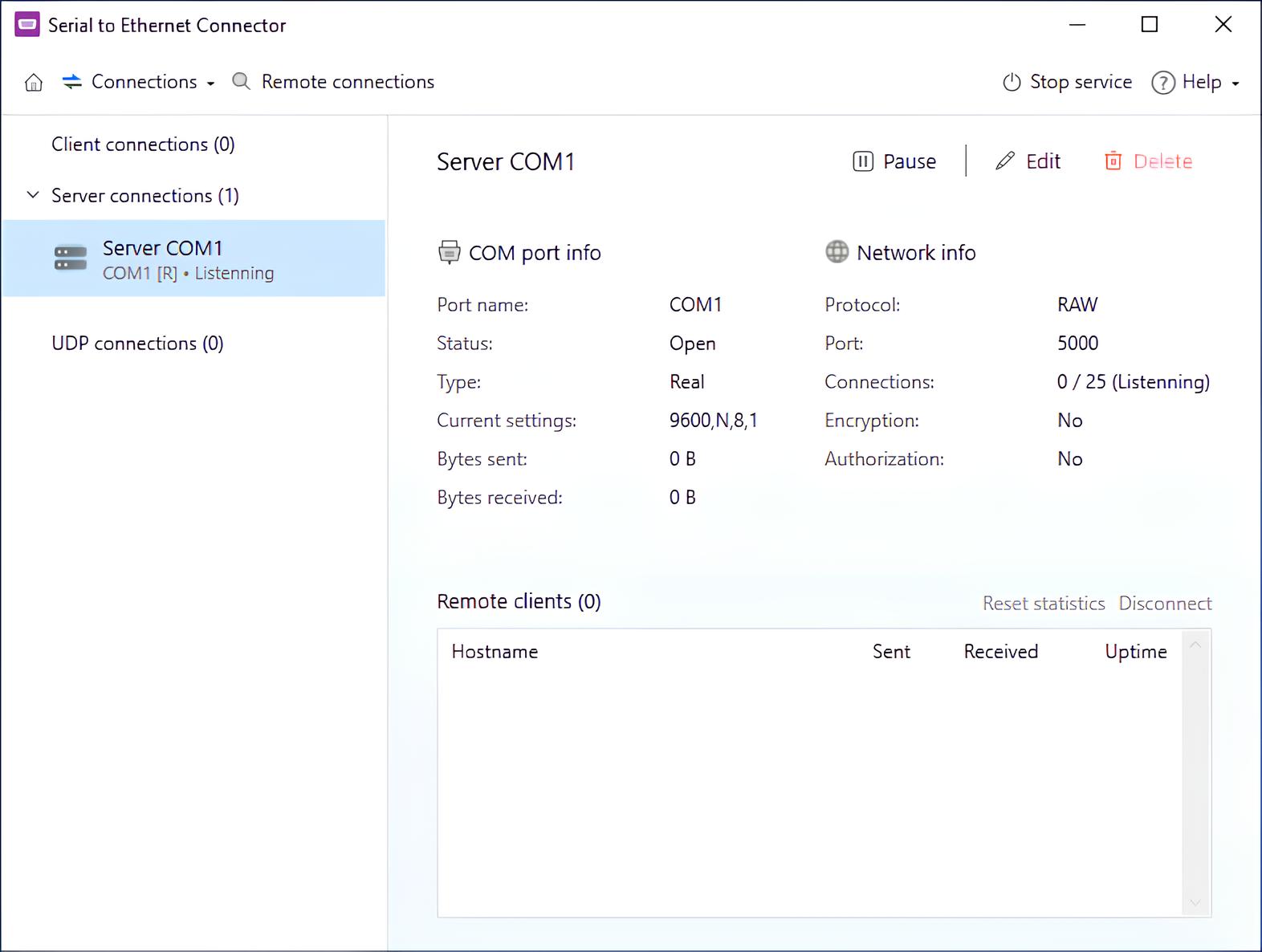
3. You can now see the connection on the list to the left. Click it to see information about the connection (such as the TCP port it uses), edit it, or pause it.
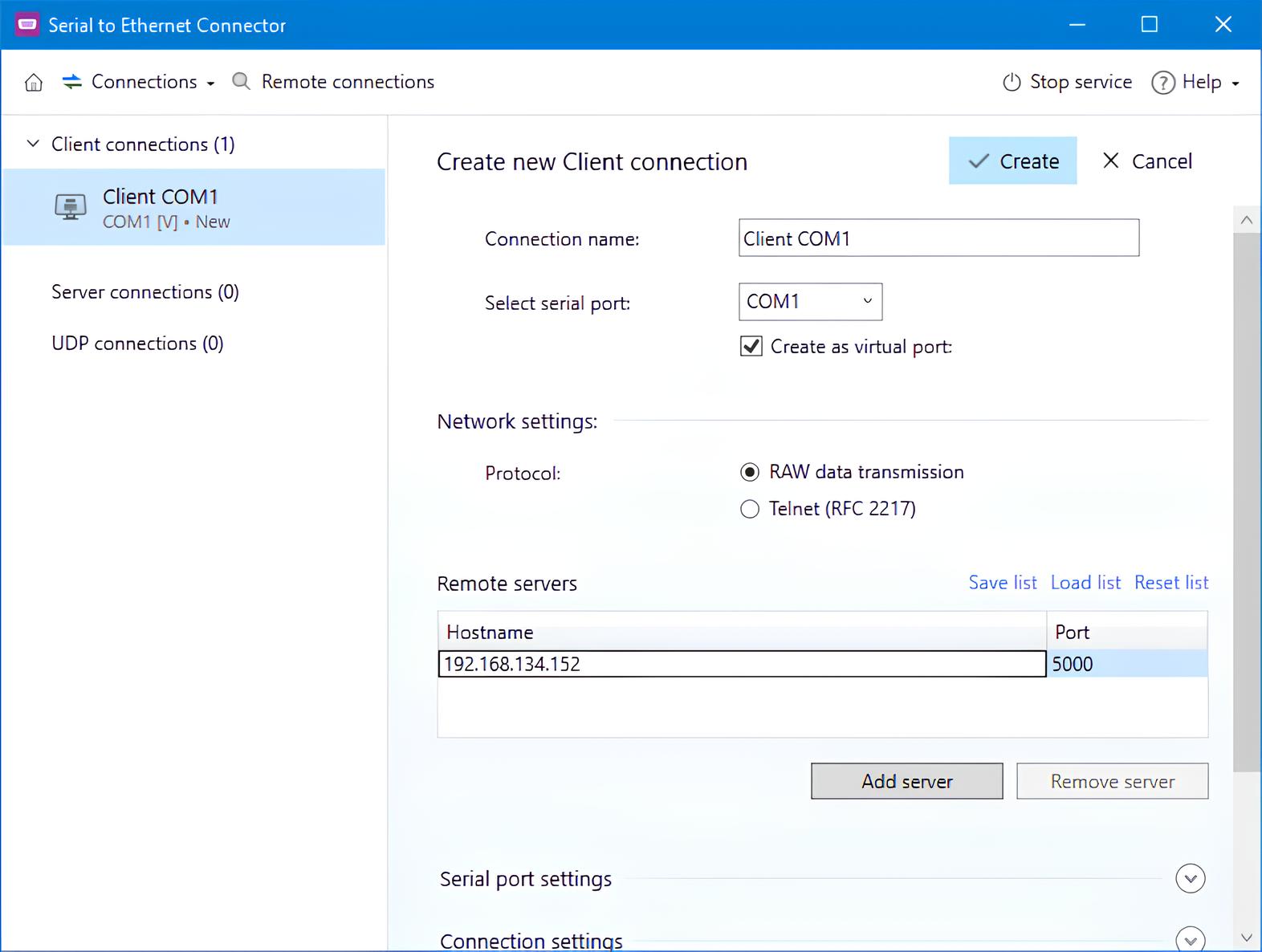
4. Install Serial to Ethernet Connector on the remote computer that needs to access the PLC. This time, select “Client connection” and use the other computer’s IP and the port used by the server.
Why Serial to Ethernet Connector?
Serial to Ethernet Connector numerous advantages over other remote PLC access methods:
- Security: Unlike a remote access solution, there is no need to expose the whole PC to the Internet. Only the TCP port used for the connection is exposed; in addition, Serial to Ethernet Connector provides strong encryption and password protection.
- Cost-effectiveness: Specialized physical gateways for remote serial access can be costly, and are often limited to a small number of ports. On the other hand, Serial to Ethernet Connector can be used with a PC you already have, has no connection limits, and the cheapest plan allows 2 simultaneous hosts.
- Bandwidth: The connection is direct and does not carry any additional data the way a VPN or a remote access tool would.
- Ease of use: A Serial to Ethernet Connector server can be set up in a matter of minutes. Every setting is clearly laid out, and detailed manuals are available on our website.
Serial to Ethernet Connector is highly flexible, with options for packet size, various handshaking protocols, signal lines, and keep-alive signals. This ensures that you can remotely access PLCs of all kinds.
A 14-day trial is available for testing purposes.
Enterprise Applications
Industrial remote access often requires specialized solutions. Serial to Ethernet Connector SDK can be used to integrate remote COM port functionality into new and existing products. The SDK includes a license key that allows Serial to Ethernet Connector features to be activated in customer-distributed products developed with the SDK.
You get a complete development kit, with all necessary packages for the supported platforms, documentation, and example applications. Electronic Team, Inc. specialists will provide technical support in product integration, allowing you to create a robust product.
Serial to Ethernet Connector SDK can be used to:
- Phase out specialized hardware in favor of cheaper, easily replaceable PCs;
- Connect company equipment to a centralized, easy-to-monitor network;
- Enable easy remote maintenance in an industrial environment;
- Develop software that allows users temporary access to remote serial hardware.