USB security dongles protect software licenses reliably. They also create a practical problem that gets worse as teams spread across locations: the key has to be somewhere, and whoever needs it next is usually somewhere else.
Hardware dongle servers solve part of this. Plug the dongle into a networked appliance, and client machines reach it over the LAN. That arrangement works until someone needs access from a different office, from home, or from a job site three time zones away. At that point, the hardware server stops helping.
Donglify is dongle server software that runs on any computer and shares USB dongles over a local network or the open internet. No dedicated appliance required.
USB Dongle Server Software
Traditional hardware dongle servers are usually designed for local-network access and often require additional infrastructure to support remote users across locations.
Donglify approaches the problem differently. It installs on any Windows or macOS computer and turns that machine into the server. The physical dongle stays plugged into the host; client machines connect to it through the application, over a LAN or the internet, and the licensed software on the client behaves as if the dongle were attached directly.
If more USB ports are needed on the host side, a standard hub handles that. There is no proprietary hardware to procure or maintain.
How to Make a Dongle Server Using Donglify
Setup takes five steps. Before starting, create an account on the Donglify website and download the installer.
1. Install Donglify on the host machine, the computer where the physical dongle is connected, and on every client machine that will need access. Sign in on each device when prompted.
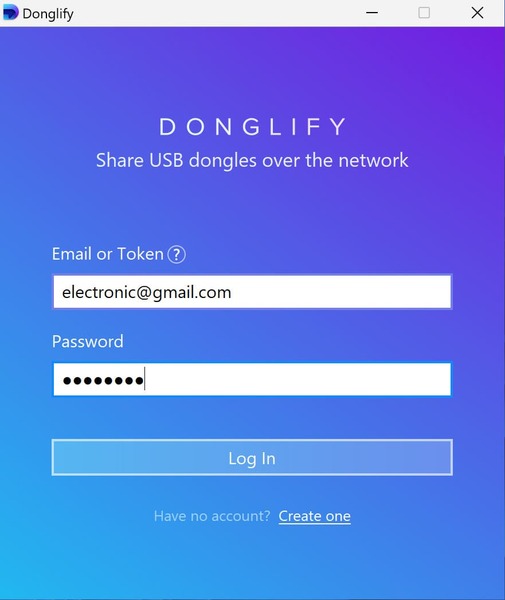
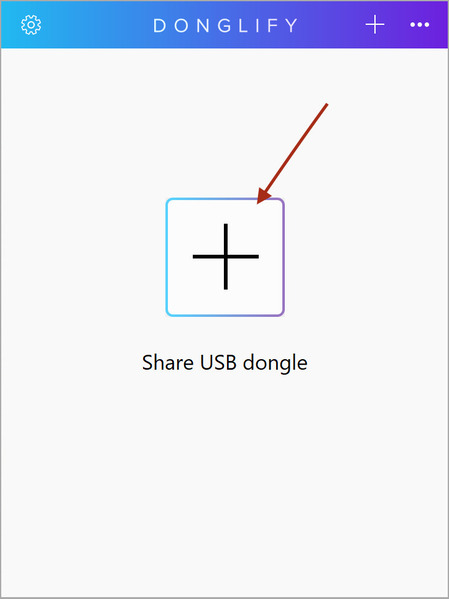
2. On the host, click the “PLUS” icon after logging in. Donglify scans for connected USB dongles and displays them in a list.
3. Review the label next to each dongle. Multi-connect means the hardware supports simultaneous access from multiple clients. Single-connect means only one client at a time. Donglify surfaces this information but does not override it; the limit is determined by the dongle manufacturer.
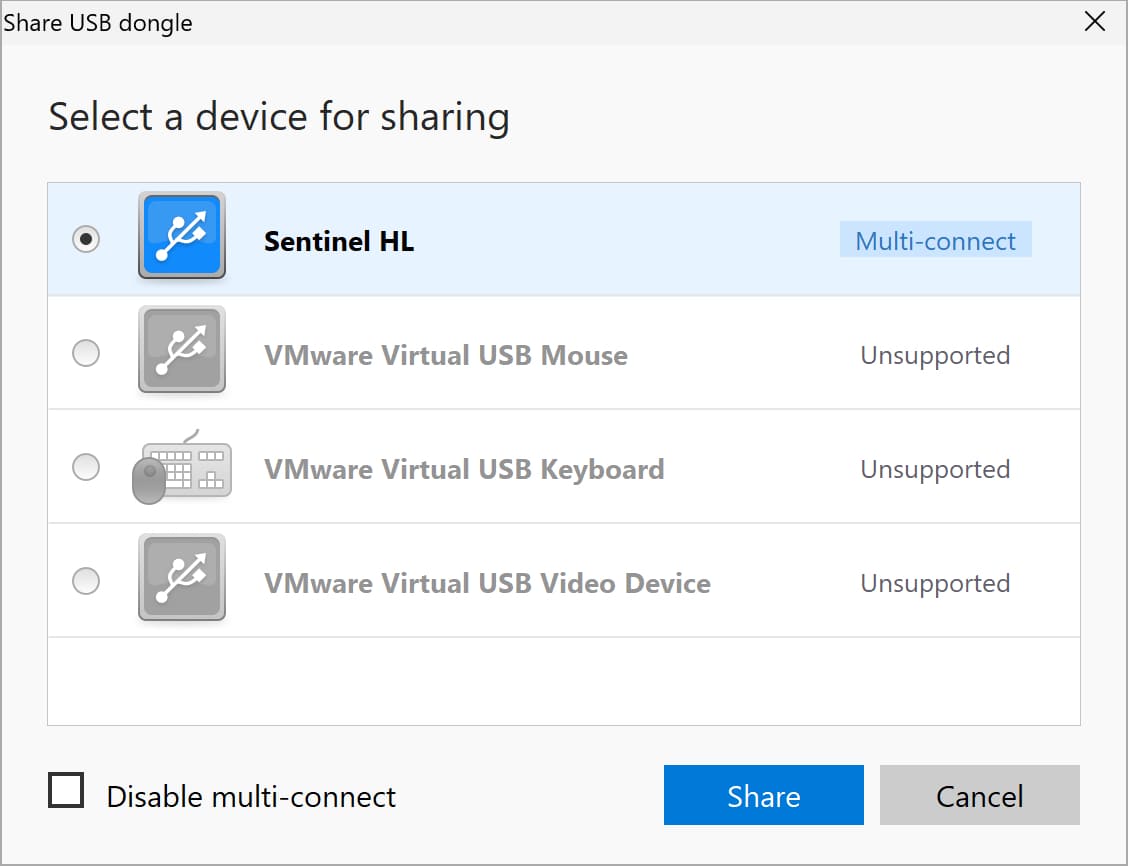
4. Select the dongle and click “Share”.
5. On each client machine, open Donglify, sign in, and select the shared device from the list. Click “Connect”.
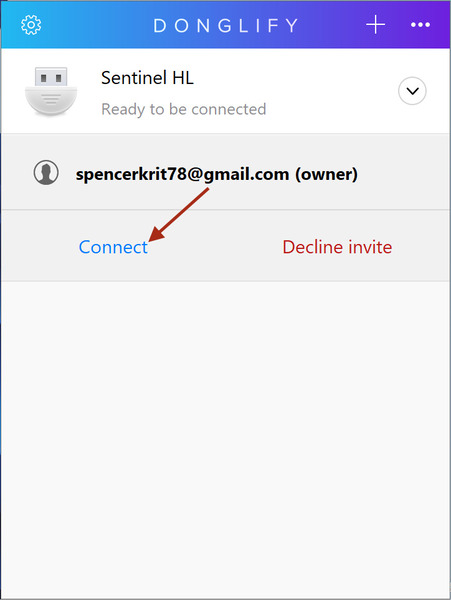
After step five, the dongle is accessible from the client. The licensed software sees it as a local connection.
Donglify Top Features
Multi-connect access
Donglify labels each shared dongle as Multi-connect or Single-connect based on the hardware. Where the dongle supports it, multiple users can be active on the same key at the same time. Donglify does not override the device’s built-in limits, but it removes the physical bottleneck that would otherwise prevent remote users from reaching a supported dongle at all.
One-click connection with no firewall changes
Donglify uses standard outbound ports that most corporate firewalls already permit. In the majority of deployments, neither the host nor the client requires manual firewall configuration. Network-specific policies can vary, but this is the common case.
Internet-based sharing without a VPN
A dongle attached to a machine in one office can be reached by someone working from home, a client site, or another country. In many cases, no VPN configuration, no additional network infrastructure. The connection runs over the public internet through Donglify’s encrypted channel.
No extra hardware required
Any computer running Donglify can act as the dongle server. Additional USB ports on the host side are handled by a standard hub, nothing proprietary.
Flexible pricing
Donglify is subscription-based. A 7-day free trial includes full functionality, with no features restricted during the evaluation period.
Platform support
Compatible with Windows 7 through 11, Windows Server 2008 R2 through 2022, ARM-based Windows 10 and 11, and macOS 10.15 and later.
Best Use Cases for Dongle Server Software
Managed service providers that handle licensed software across multiple client sites are one clear fit. The dongle stays at the client location. The MSP reaches it remotely when needed. No courier runs, no temporary re-installation on-site.
Software vendors and developers. Mailing a physical dongle to a prospective customer has real costs: postage, logistics, the possibility the key never comes back. Donglify lets a developer share a dongle over the Internet. No shipping, no chasing hardware.
Distributed businesses with centrally held dongles are the third group. If the physical key lives in a headquarters office but field staff or branch employees need the associated software, keeping the dongle in one place reduces the risk of loss. Access travels through the software connection while the hardware stays secured.
Hardware or Software Dongle Server: Which Fits
Hardware dongle servers are not obsolete. In a controlled local network with a fixed set of users, a dedicated appliance does not depend on any particular computer being on and reachable. That is a real operational advantage in some environments.
Donglify’s case is flexibility. It reaches wherever there is an internet connection, and it scales by adding software licenses rather than physical ports. Which approach fits a given environment comes down to where the users are, how the network is structured, and whether access needs to extend beyond the office.