
If you need to access and share USB devices, USB over IP software is the solution. These tools enable you to connect to remote USB devices as if they were physically attached to your computer, streamlining workflows and improving accessibility.
In this article, we’ve gathered and reviewed the top USB over IP software solutions available today to help you find the best fit for your needs.
FlexiHub
FlexiHub is a versatile USB over IP solution designed for seamless remote access to USB and serial devices from anywhere on the network or over the Internet. This cross-platform application runs on Windows, macOS, Linux, and Android, making it suitable for a wide variety of business and individual use cases such as remote support, device management, and collaboration.
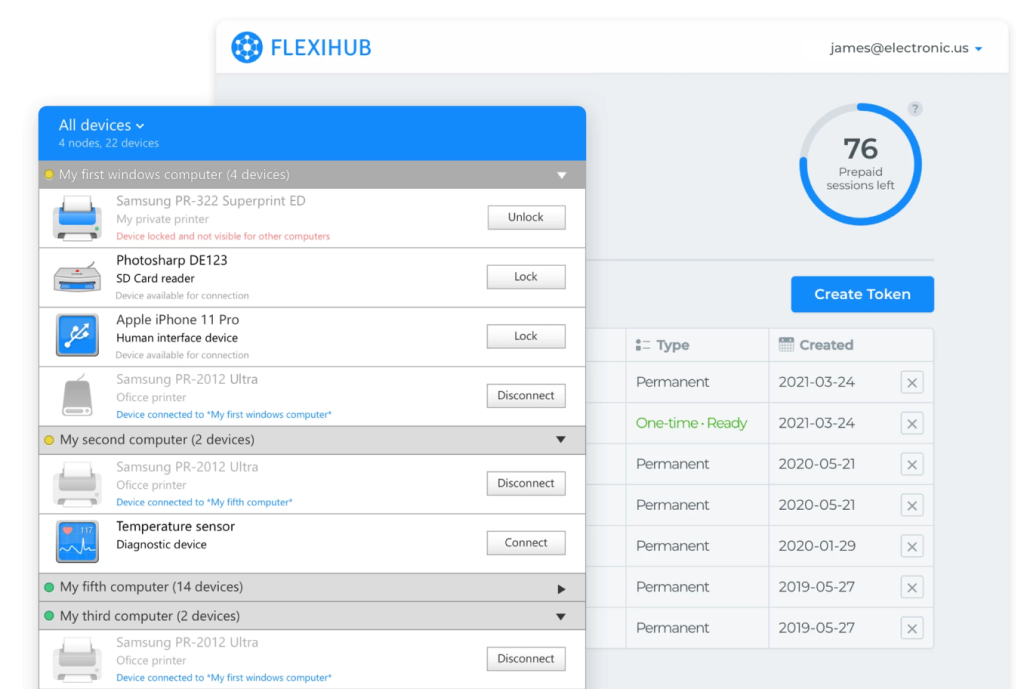
Best For: remote device access in IT support, telemedicine, industrial automation, and collaborative work environments. It simplifies device sharing regardless of distance or network complexity.
Key Benefits:
Universal Remote Access: Connect to USB and serial port devices from any remote location, as if the devices were plugged directly into your local machine.
Private Tunnel Server: Access USB devices even when computers cannot connect directly due to network restrictions, firewalls, or NAT. The Tunnel Server bridges remote machines, ensuring connectivity without public IP addresses. Avoids data routing through third-party servers, establishing a secure and stable direct link whenever possible.
Device Management: Easily invite team members to access specific devices, manage permissions, and monitor active device connections in a clean dashboard.
Traffic Compression: Reduces USB traffic for improved transfer speed and efficiency, especially useful when working with high-volume data devices.
Security
FlexiHub is designed with strong security measures to protect your data and device connections:
Advanced Encryption: All traffic is protected using 2048-bit SSL encryption, which safeguards sensitive data transferred between endpoints.
Two-Factor Authentication: Users can enable two-factor authentication (2FA) to provide extra account security.
No Device Data Storage: Your device data is never stored on FlexiHub’s servers, which focus solely on connection facilitation.
Subscription
Options FlexiHub is offered as a subscription-based service with plans suited for individuals, teams, and enterprises. Subscriptions are available on a monthly or discounted annual basis, giving users budget flexibility.
USB Network Gate
USB Network Gate provides reliable software-based USB over IP connectivity for sharing and accessing USB devices across local networks and the Internet. With support for Windows, macOS, Linux, and Android, it is suitable for a broad range of environments, from personal use to corporate networks.
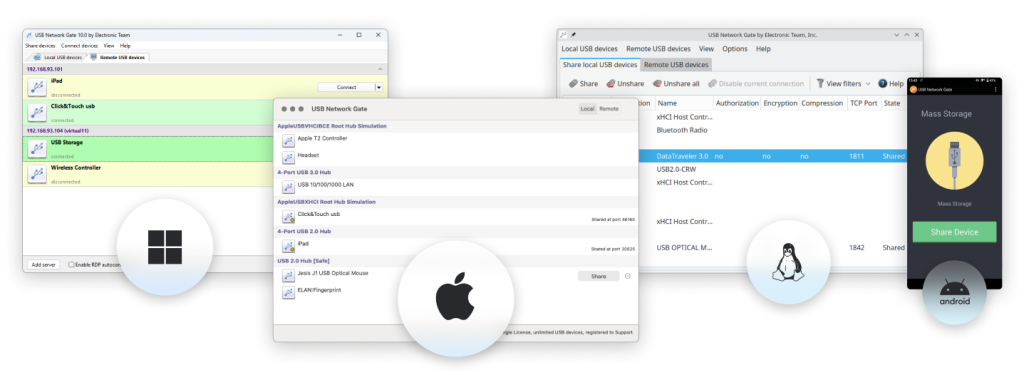
Best For: IT support, remote device diagnostics, industrial equipment management, and collaborative workspaces. Its OEM capabilities also make it a strong option for device manufacturers needing built-in USB over IP functionality.
Key Features
Cross-Platform Compatibility: Share and access USB devices seamlessly between Windows, macOS, Linux, and Android systems.
Virtual Environment Support: Use USB devices in virtual environments, over Remote Desktop Protocol (RDP) sessions, and in blade server infrastructure. USB Network Gate is compatible with VMware, VirtualBox, Citrix XenDesktop, and Microsoft Hyper-V, enabling direct access to USB hardware within virtual machines.
Custom Connection Settings: Control bandwidth usage, adjust compression, and set connection encryption for optimal performance and security.
Session Handling: The software supports hot-plugging and remote device management, letting users connect or disconnect devices on the fly.
Traffic Encryption: All transmitted data is protected with robust 256-bit SSL encryption.
Security
USB Network Gate establishes secure point-to-point connections, minimizing the risk of data exposure through third-party nodes. For enhanced protection, you can enable TLS 1.3 encryption and set up optional password-based authorization to further control access to your shared devices.
Corporate Licensing
USB Network Gate is well-suited for integration in enterprise settings thanks to SDK and OEM customization. Companies can license the USB Network Gate technology for embedding into their own hardware or software products, including the creation of custom builds under their own brand.
Pricing
Single license allows up to 10 USB devices that can be shared simultaneously on a single computer – $159.95
Corporate licenses – upon request.
USB over Network
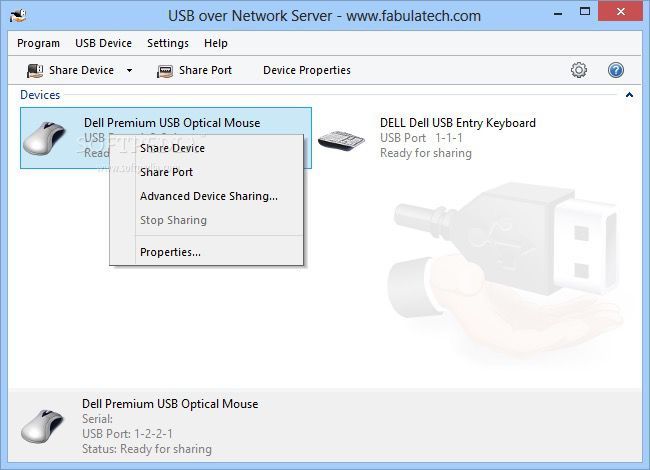
USB over Network by FabulaTech is a basic solution for sharing USB devices across a local network or the Internet. With compatibility for Windows and Linux operating systems, it addresses straightforward scenarios where remote USB access is required.
Best suited for users or organizations with straightforward USB sharing needs and limited requirements for advanced management, scaling, or specialized security.
Key Features
Essential Remote Access: Enables sharing of USB devices so they can be accessed remotely as if connected locally. While the process is functional, the feature set remains more limited than those of some leading alternatives.
Platform Support: Works with both Windows and Linux, covering fundamental cross-platform requirements for USB redirection.
Device Connection Management: Users can manually connect and disconnect USB devices, with the software supporting hot-plugging. The interface is uncluttered but doesn’t offer advanced device management tools found in other solutions.
Basic Security: Transfers are encrypted, but details about security customization are less comprehensive compared to FlexiHub or USB Network Gate.
Virtual Environment Access: Compatible with popular virtual machine setups and remote desktop sessions, though integration and performance features may not be as extensive as in more specialized software.
Licensing and Pricing
Per-Seat licensing (for 1 USB Device) – $149.95
USB/IP
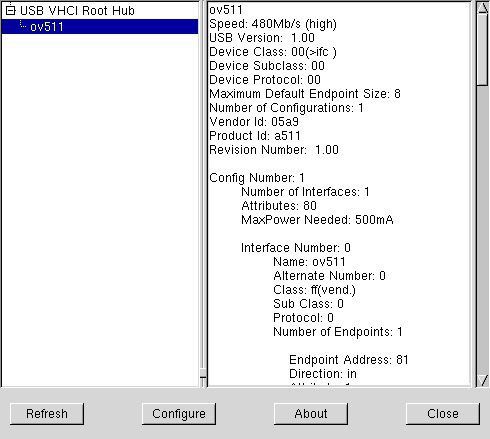
USB/IP is an open-source project developed to facilitate sharing USB devices across a network by converting USB device I/O messages to IP packets. Available mainly for Linux systems, with partial support for Windows, USB/IP is best suited for technical users who are comfortable with manual setup and command-line tools.
Best For: technically savvy users or developers looking to build custom USB over network solutions or experiment with device sharing in controlled environments. It is not recommended for enterprises or end users who require plug-and-play functionality, comprehensive security, or professional support.
Key Features
Network-Based USB Sharing: Transfers USB device functionality over local and wide area networks, allowing remote machines to use devices as if they were locally attached.
Open Source Accessibility: As a free, community-driven project, USB/IP is accessible to anyone and can be adapted or integrated into custom setups.<'p>
Linux-Focused: Primarily supported on Linux distributions; Windows users may encounter incomplete features or limited updates.
Manual Configuration: Setup and device management are primarily handled via command line or basic interfaces, requiring technical knowledge.
No Built-in Security: The software transmits data over the network without native encryption, leaving users responsible for securing connections at the network level, such as through VPNs or SSH tunnels.
Licensing
USB/IP is distributed under the GNU General Public License (GPL), making it completely free to use or modify. No commercial support or dedicated customer service is available.
VirtualHere
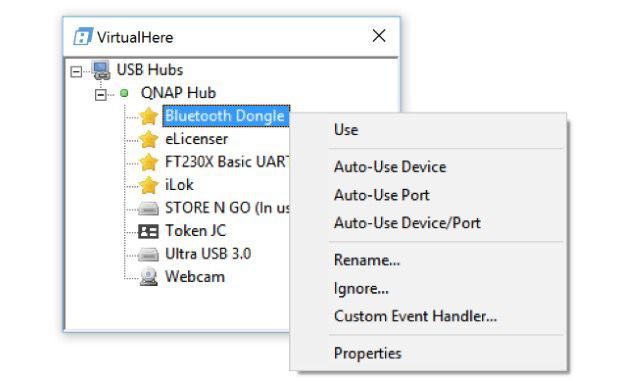
VirtualHere is a lightweight USB over network solution designed for sharing USB devices with remote computers across LAN, VPN, or the Internet. Supporting Windows, macOS, Linux, and NAS devices, VirtualHere can be deployed on a wide variety of hardware, including Raspberry Pi and many network-attached storage devices.
Best For: individuals, hobbyists, and small offices that need a basic, cross-platform USB sharing tool and are comfortable handling configuration.
Key Features
Device Sharing Across Platforms: Compatible with Windows, macOS, and Linux—plus installation on certain routers and NAS devices – VirtualHere provides basic but flexible remote USB access.
Simple Server/Client Model: The software operates with a small footprint and can easily transform a supported device into a USB server, making it a flexible choice for small-scale environments or tech enthusiasts.
Virtual Environment Compatibility: Offers integration for use with virtual machines and remote desktops, though configuration may require manual intervention.
Automation and Scripting: Advanced users benefit from scripting capabilities and some API access for custom deployment scenarios.
Encryption Support: SSL encryption is available, but users must manually enable and configure it for secure connections.
Licensing and Pricing
VirtualHere offers a straightforward licensing model with both single-device and unlimited-device options, priced as one-time purchases – $49
There is also a free trial version with limited device support, allowing users to test basic concepts before buying. Technical support and software updates are provided with purchased licenses, but enterprise management features remain limited compared to premium solutions.
USB over IP Solutions Comparison
A number of different USB over IP software applications exist, and it can be difficult to determine which one is right for your situation. There are basically three factors that you need to consider when making your decision:
- Platform Compatibility
- Security and Management
- Scalability and Licensing
By focusing on these key aspects, you can choose the USB over IP software that best matches your technical requirements and business goals.
To help you quickly evaluate your options, we’ve prepared a comparison chart outlining the key features of the best USB over IP software. Use this table to easily compare supported platforms, licensing details, and unique functionalities, so you can make an informed decision based on your specific requirements.
| Feature | FlexiHub | USB Network Gate | USB over Network | USB/IP | VirtualHere |
| Best For | IT support, telemedicine, industrial automation, and collaboration | IT infrastructures, virtual environments, and corporate integration | Basic USB sharing on Windows & Linux for individuals / small offices | Developers, Linux enthusiasts, experimenters | Home users, hobbyists, NAS/Raspberry Pi setups |
| Platforms | Windows, macOS, Linux, Android | Windows, macOS, Linux, Android | Windows, Linux | Linux (main), Windows (partial) | Windows, macOS, Linux, NAS |
| Virtualization Support | Yes (VMware, ESX, Hyper-V, Citrix, RDP, blade servers) | Yes (basic; less integrated) | Basic, manual | Yes (manual setup) | |
| Team / Device Management | Advanced dashboard, permissions, team invites | Centralized controls, hot-plugging and remote device management | Basic manual control, limited management | None (command line/manual) | Basic, small-scale |
| Security | 2048-bit SSL, 2FA, zero-knowledge data handling | 256-bit SSL, TLS 1.3, password-based authorization | Basic encryption, fewer configuration options | No built-in security (requires VPN/SSH) | SSL optional, basic |
| Licensing | Subscription (monthly/annual), scalable for teams & individuals | Per-device + corporate, OEM/SDK, perpetual available | Per-seat (per device), perpetual | Free (GPL, open-source), no commercial support | One-time license (single or unlimited), free trial |
| Support / Updates | Included with subscription | Professional, corporate-level, OEM support | Standard business support | Community-only | Technical support with license |
| Pricing (Indicative) | Flexible subscription; individual and team plans | $159.95 per 10 devices; corporate by request | $149.95 per device | Free | $49 one-time; unlimited option available |